







Whether you're developing touch applications, selecting touchscreen hardware, or simply curious about the technology in your smartphone or tablet, this detailed explanation will help you understand multi-touch technology.
Multi-touch technology has transformed how we interact with digital devices, enabling intuitive gestures like pinch-to-zoom, rotation, and multi-finger swipes that have become second nature to smartphone and tablet users. Unlike single-touch systems that can only detect one point of contact at a time, multi-touch technology can track multiple simultaneous touch points, opening up entirely new possibilities for user interface design.
Understanding multi-touch technology requires knowledge of touch detection principles, signal processing, and gesture recognition algorithms. This guide will explore the technical foundations, implementation methods, and practical applications of multi-touch technology in modern devices.
What is Multi-Touch Technology?
Multi-touch technology refers to the ability of a touchscreen or touchpad to detect and track multiple simultaneous points of contact. While traditional touchscreens could only register one touch at a time, multi-touch systems can identify, track, and respond to multiple independent touch points simultaneously.
The number of touch points a system can detect varies by technology and implementation. Most modern smartphones and tablets support 5-10 simultaneous touch points, while specialized systems can track 20 or more points. The number of supported touch points is often referred to as the "touch count" or "multi-touch capability" of the device.
How Multi-Touch Detection Works
Multi-touch detection relies on the same fundamental principles as single-touch systems, but with more sophisticated hardware and software to distinguish between multiple simultaneous contacts. The process involves several key steps:
1. Touch Sensing
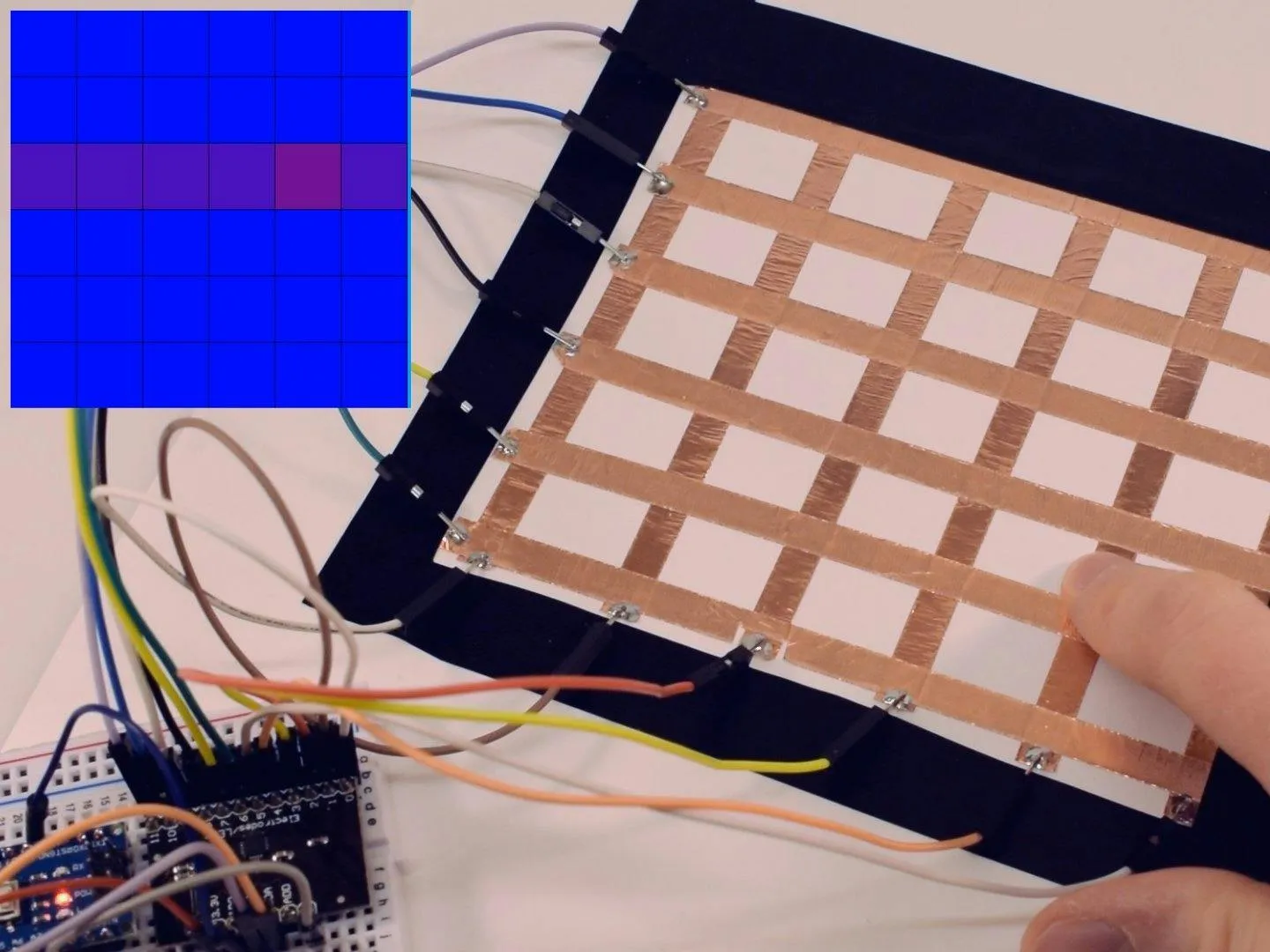
The touchscreen continuously scans its surface to detect changes in electrical properties (for capacitive systems) or physical contact (for resistive systems). In capacitive touchscreens, which are the most common for multi-touch applications, the screen uses a grid of electrodes arranged in rows and columns.
2. Signal Processing
When multiple touches occur, the touch controller receives signals from multiple electrode intersections simultaneously. The controller must process these signals to distinguish between different touch points and filter out noise or false touches.
3. Touch Point Identification
The controller analyzes the pattern of capacitance changes across the electrode grid to identify distinct touch points. Each touch creates a unique pattern of capacitance changes, allowing the system to track multiple points independently.
4. Coordinate Calculation
For each identified touch point, the controller calculates precise X and Y coordinates. Advanced algorithms use interpolation to determine coordinates with sub-pixel accuracy, even when touches occur between electrode intersections.
5. Touch Tracking
The system maintains separate tracking for each touch point, following their movements over time. This allows the system to recognize gestures that involve multiple fingers moving in coordinated patterns.
Capacitive Multi-Touch Implementation
Capacitive touchscreens are the primary technology used for multi-touch applications. There are two main approaches to implementing multi-touch in capacitive systems:
Self-Capacitance Method
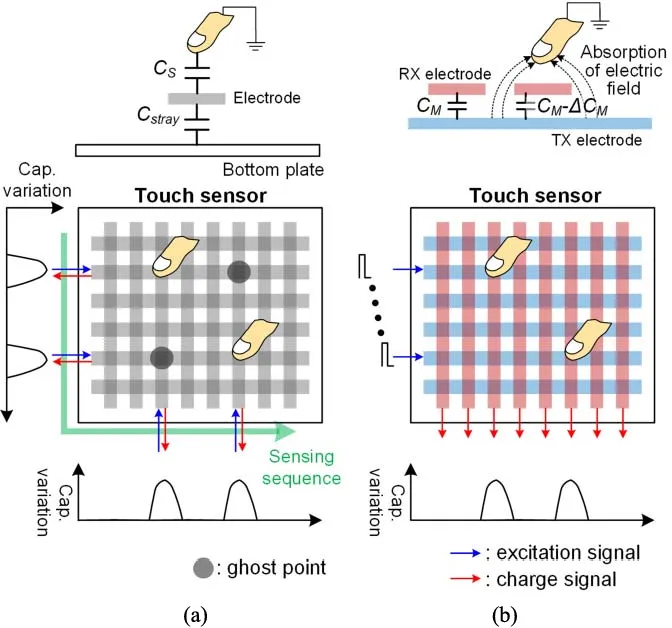
In self-capacitance systems, each electrode is measured independently. When a finger touches the screen, it increases the capacitance of nearby electrodes. The controller measures the capacitance of each electrode separately and identifies touch points based on which electrodes show increased capacitance.
Advantages of self-capacitance:
- Simpler implementation and lower cost
- Good signal strength
- Effective for basic multi-touch (2-5 points)
Limitations:
- Can experience "ghost touch" problems with certain touch patterns
- Limited scalability for high touch counts
- May have accuracy issues with complex gestures
Mutual Capacitance Method
Mutual capacitance, also known as projected capacitive (PCAP), is the preferred method for advanced multi-touch systems. In this approach, the controller measures the capacitance between intersecting row and column electrodes, creating a matrix of measurement points.
How mutual capacitance enables multi-touch:
- Each intersection point (where a row and column cross) is measured independently
- A touch reduces the mutual capacitance at that specific intersection
- Multiple touches create distinct patterns of capacitance reduction
- The controller can identify and track each touch point separately
Advantages of mutual capacitance:
- True multi-touch support (10+ simultaneous touches)
- No ghost touch problems
- High accuracy and precision
- Excellent gesture recognition
- Scalable to large displays
This is why mutual capacitance is used in virtually all modern smartphones, tablets, and high-end touch displays.
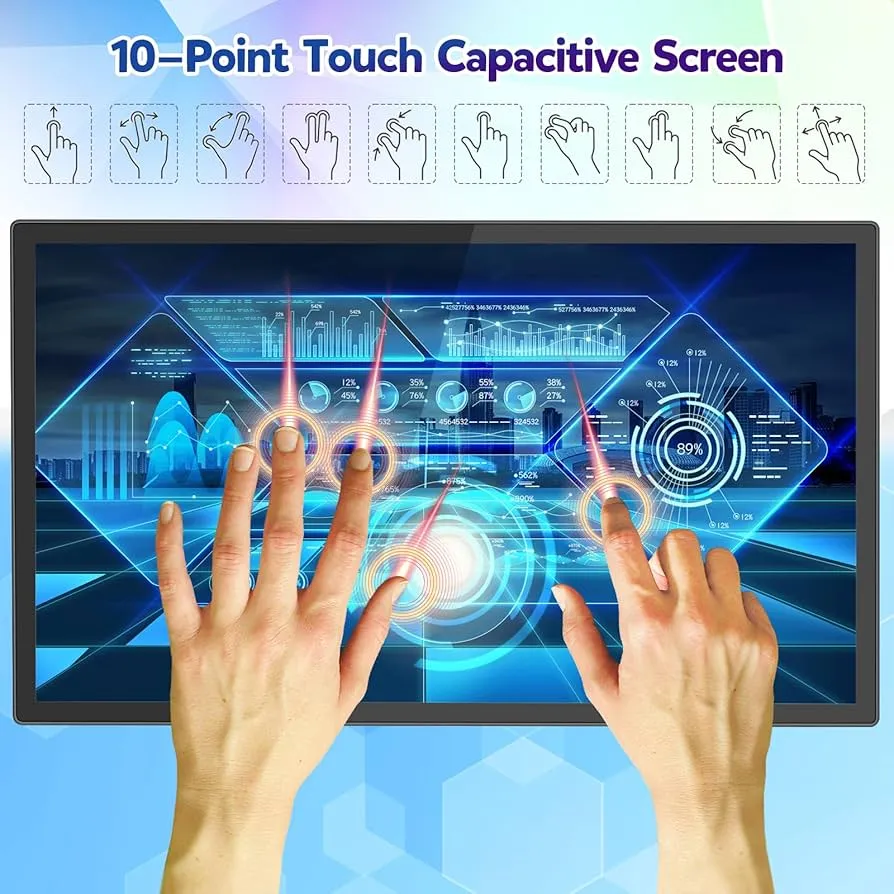
Common Multi-Touch Gestures
Multi-touch technology enables a wide variety of gestures that have become standard in modern user interfaces. Here are the most common gestures and how they work:
Pinch-to-Zoom
One of the most recognizable multi-touch gestures, pinch-to-zoom uses two fingers to zoom in or out. When you place two fingers on the screen and move them apart, the system calculates the distance between the touch points and zooms in proportionally. Moving fingers closer together zooms out.
The gesture recognition algorithm:
- Tracks the distance between two touch points
- Calculates the change in distance over time
- Applies zoom transformation based on distance change
- Uses the midpoint between touches as the zoom center
Rotation
Rotation gestures allow users to rotate objects or views by placing two fingers on the screen and rotating them around a central point. The system calculates the angle between the two touch points and applies rotation based on the angle change.
Two-Finger Scroll
Many applications use two-finger scrolling for different behaviors than single-finger scrolling. For example, in web browsers, two-finger scrolling might control horizontal scrolling or zoom, while single-finger scrolling controls vertical movement.
Multi-Finger Swipe
Systems can recognize swipes with multiple fingers, enabling gestures like three-finger swipe for switching applications or four-finger pinch for closing apps. These gestures require tracking multiple touch points and analyzing their coordinated movement.
Tap and Hold with Multiple Fingers
Some systems recognize when multiple fingers tap and hold simultaneously, which can trigger special functions like context menus or selection modes.
Touch Controller and Processing
The touch controller is the specialized integrated circuit that makes multi-touch possible. It performs several critical functions:
High-Speed Scanning
Multi-touch controllers operate at high frequencies (typically 100-200 kHz) to scan the entire electrode grid rapidly. This high scanning rate ensures that fast finger movements are captured accurately and that the system can track multiple touches smoothly.
Signal Processing and Filtering
The controller includes sophisticated signal processing capabilities:
- Noise Filtering: Removes electrical noise and interference
- Baseline Compensation: Adjusts for environmental changes that affect capacitance
- Touch Validation: Distinguishes real touches from false signals
- Edge Correction: Compensates for reduced sensitivity at screen edges
Touch Point Tracking
One of the most challenging aspects of multi-touch is maintaining consistent identity for each touch point as fingers move. The controller uses tracking algorithms that:
- Assign unique IDs to each touch point
- Predict likely movement paths based on velocity and direction
- Match touches between scan frames to maintain continuity
- Handle cases where touches cross paths or overlap
Gesture Recognition
Many modern touch controllers include built-in gesture recognition, identifying common gestures like pinch, rotate, and swipe before sending data to the main processor. This reduces processing load on the main CPU and improves responsiveness.
Technical Challenges in Multi-Touch
Implementing reliable multi-touch technology involves overcoming several technical challenges:
Ghost Touch Problem
In certain touch patterns, especially with self-capacitance systems, the controller may detect "ghost touches" that don't actually exist. This occurs when the pattern of capacitance changes could be interpreted as multiple valid touch combinations. Mutual capacitance largely solves this problem by providing unambiguous touch point identification.
Touch Point Tracking
When multiple fingers move simultaneously, especially when they cross paths, the system must correctly maintain which touch point corresponds to which finger. Advanced tracking algorithms use predictive models based on velocity, acceleration, and movement patterns to maintain touch identity.
Palm Rejection
When using a stylus or writing on a tablet, the palm often rests on the screen, creating unwanted touch input. Palm rejection algorithms identify large contact areas (typical of palms) and ignore them while still registering smaller, precise touches from fingers or styluses.
Edge Effects
Touch detection can be less accurate near screen edges due to the electrode layout. Advanced systems use edge compensation algorithms and specialized electrode patterns to maintain accuracy across the entire screen surface.
Response Time
Multi-touch systems must process multiple touch points quickly enough to feel responsive. This requires efficient algorithms and sufficient processing power in the touch controller.
Multi-Touch in Different Applications
Multi-touch technology finds applications across various industries and use cases:
Consumer Electronics
Smartphones and tablets are the most common multi-touch devices, with users relying on gestures for navigation, zooming, gaming, and creative applications. Modern devices typically support 5-10 simultaneous touch points.
Gaming
Multi-touch enables complex game controls with multiple simultaneous inputs. Racing games might use multiple fingers for steering and acceleration, while strategy games can support multi-finger unit selection and control.
Creative Applications
Digital art and design applications leverage multi-touch for tools like multi-finger brushes, simultaneous color mixing, and gesture-based tool switching. Professional tablets often support stylus input combined with multi-touch gestures.
Collaborative Displays
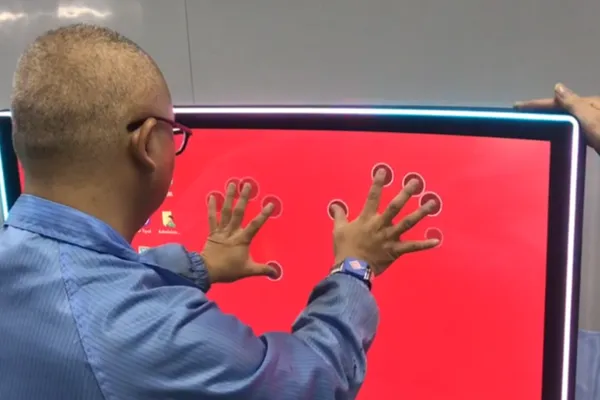
Large interactive displays and whiteboards use multi-touch to support multiple users simultaneously. These systems can track 20 or more touch points, allowing several people to interact with the display at the same time.
Industrial and Commercial
Industrial control systems, kiosks, and point-of-sale terminals use multi-touch for intuitive interfaces that support both single and multi-finger interactions.
Multi-Touch vs Single-Touch
Understanding the differences helps in selecting the right technology:
- Single-Touch: Simpler, lower cost, sufficient for basic interactions like tapping and simple swiping
- Multi-Touch: More complex, higher cost, enables advanced gestures and more intuitive user experiences
For most modern consumer applications, multi-touch has become the standard expectation. However, single-touch may still be appropriate for specialized applications where cost is a primary concern or where multi-touch gestures aren't needed.
Future Developments in Multi-Touch
Multi-touch technology continues to evolve with several exciting developments:
- Increased Touch Count: Systems supporting 20+ simultaneous touches for collaborative applications
- Force Sensing: Combining multi-touch with pressure detection for 3D touch capabilities
- Hover Detection: Detecting fingers near the screen before contact for preview and gesture initiation
- Improved Palm Rejection: Better algorithms for distinguishing between intentional touches and accidental palm contact
- Lower Latency: Faster processing for even more responsive touch interactions
- Flexible Displays: Multi-touch technology adapted for bendable and foldable screens
These advancements are expanding the possibilities for multi-touch interfaces while improving reliability and user experience.
Best Practices for Multi-Touch Applications
When developing applications that use multi-touch, consider these best practices:
- Gesture Consistency: Use standard gestures (pinch-to-zoom, rotate) that users expect
- Touch Feedback: Provide visual or haptic feedback for multi-touch gestures
- Gesture Discovery: Make it clear which gestures are available in your application
- Error Handling: Gracefully handle cases where gestures are incomplete or ambiguous
- Performance: Optimize for smooth gesture recognition and response
- Accessibility: Ensure single-touch alternatives are available for users who cannot use multi-touch
Multi-touch technology has fundamentally changed how we interact with digital devices, enabling intuitive gestures and natural user interfaces. Understanding how it works helps developers create better applications, engineers design more capable systems, and users appreciate the sophisticated technology in their everyday devices.
As multi-touch technology continues to advance, we can expect even more sophisticated and capable touch interfaces that further enhance our interaction with digital devices. The combination of improved hardware, better algorithms, and innovative applications ensures that multi-touch will remain a cornerstone of modern user interface design.